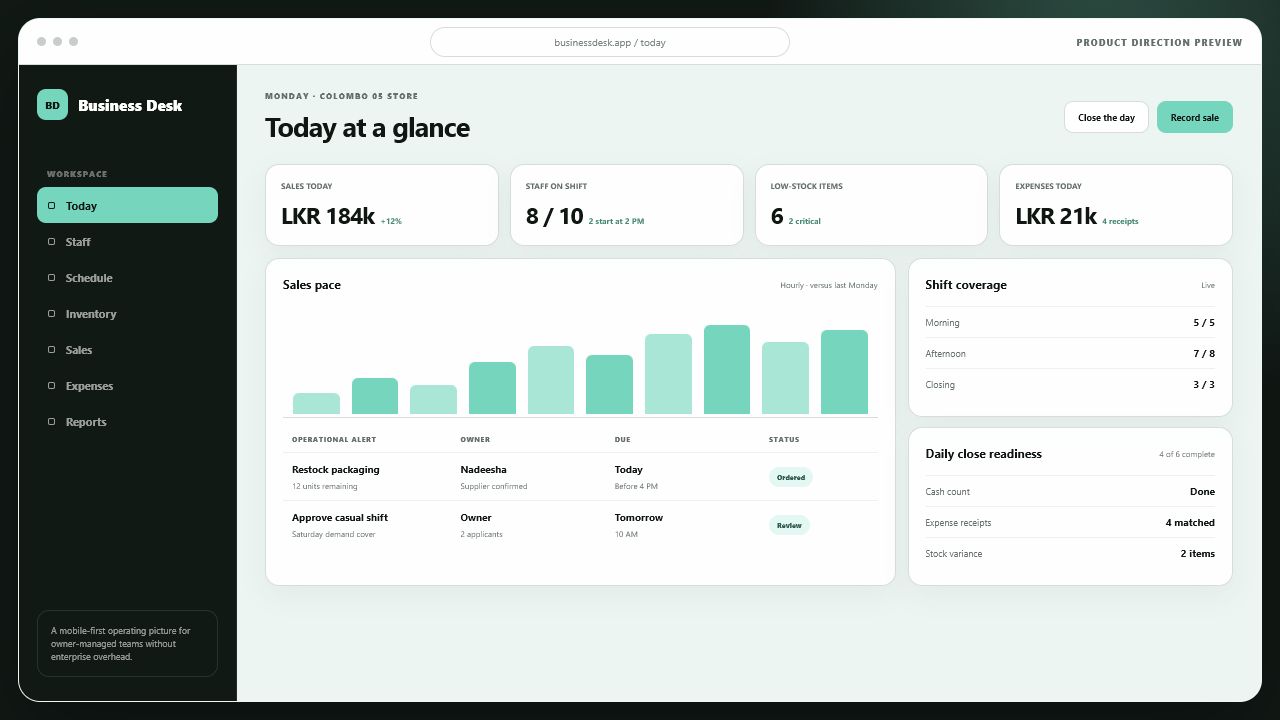
A mobile-first operating workspace intended to help growing businesses manage staff, schedules, inventory, expenses, and daily reporting without adopting heavyweight enterprise software.
Product direction previewA practical daily picture for an owner-managed operation.
The direction brings sales pace, staffing, stock attention, expenses, and day-end readiness into one lightweight workspace designed for decisions between daily tasks.
Inside the product direction
Seven connected views of the daily business.
The product gives owners enough structure to delegate confidently while keeping equipment, stock, schedules, people, money, revenue, and reporting understandable from one lightweight operating workspace.
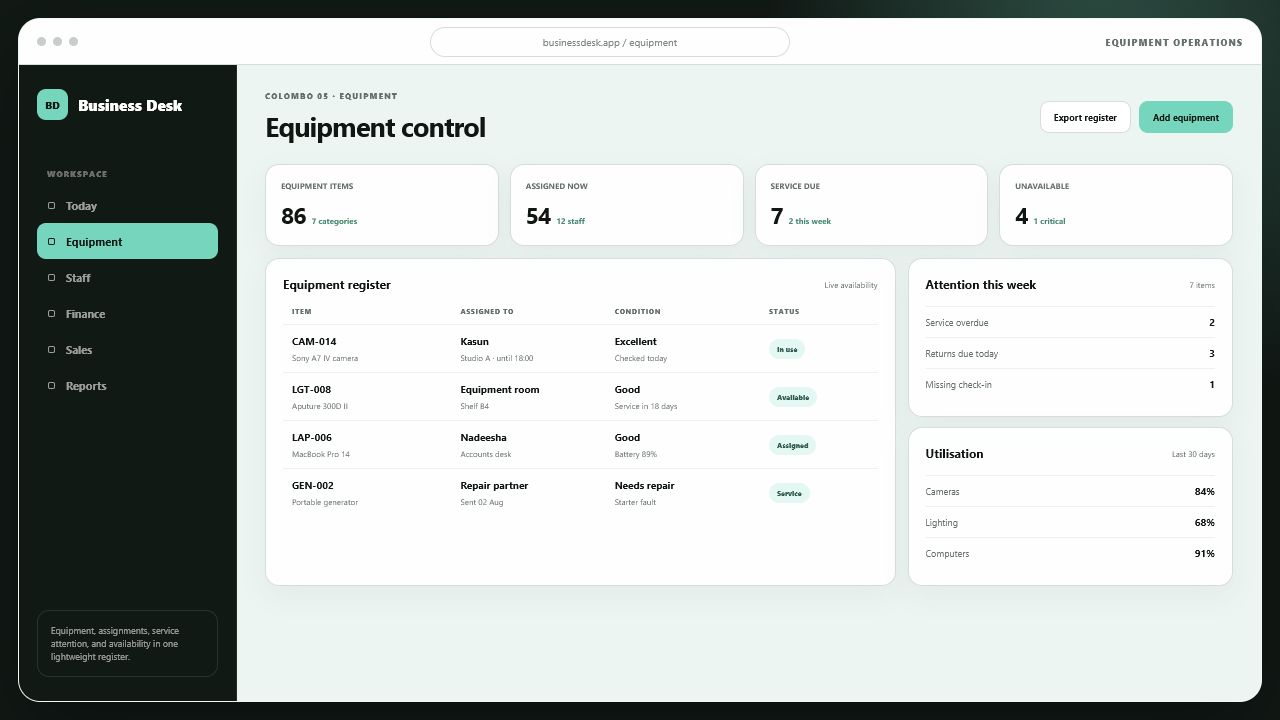
Know what the business owns, where it is, and what needs attention.
The equipment view combines identity, current assignment, condition, availability, service dates, and utilisation so small teams can protect operational assets without maintaining a separate spreadsheet.
Assignment and availability
Condition and service attention
Category-level utilisation
02 / Finance
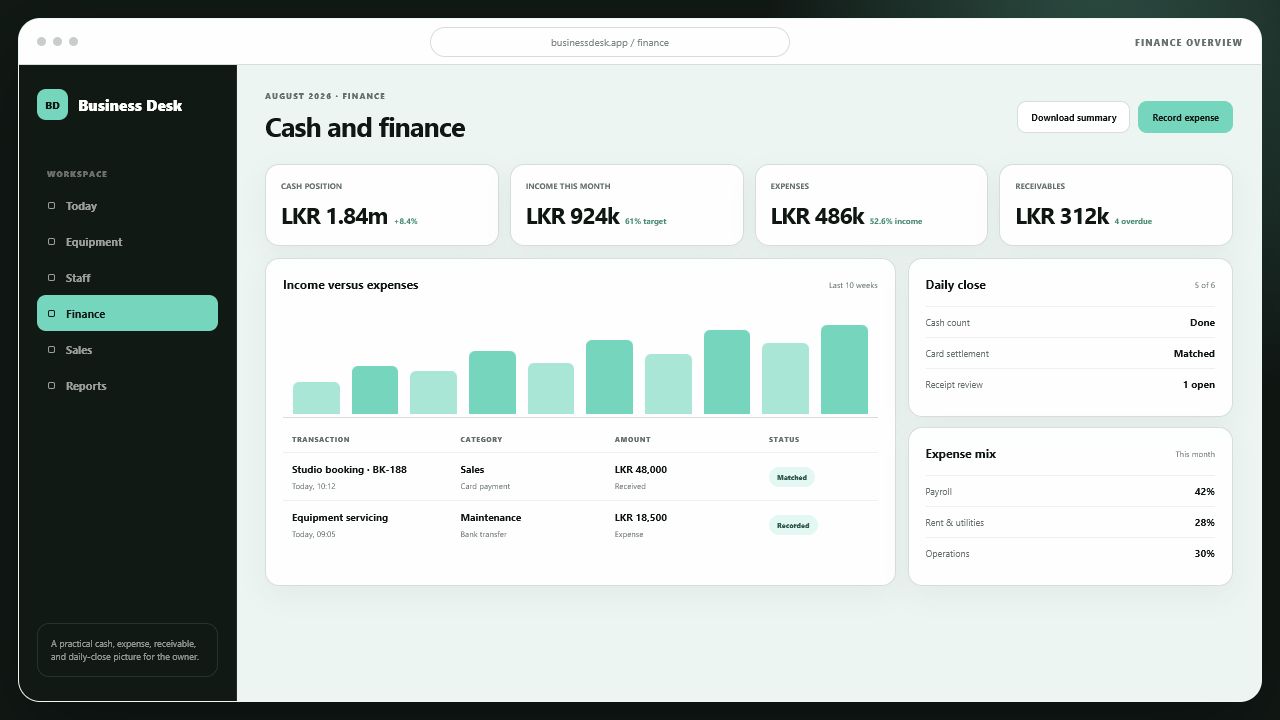
A practical cash picture without pretending to be a full accounting suite.
Owners can see cash position, income, expenses, overdue receivables, recent transactions, and day-end reconciliation in a concise operational view designed for frequent review.
Cash and receivable visibility
Income and expense movement
Daily-close readiness
03 / Staff
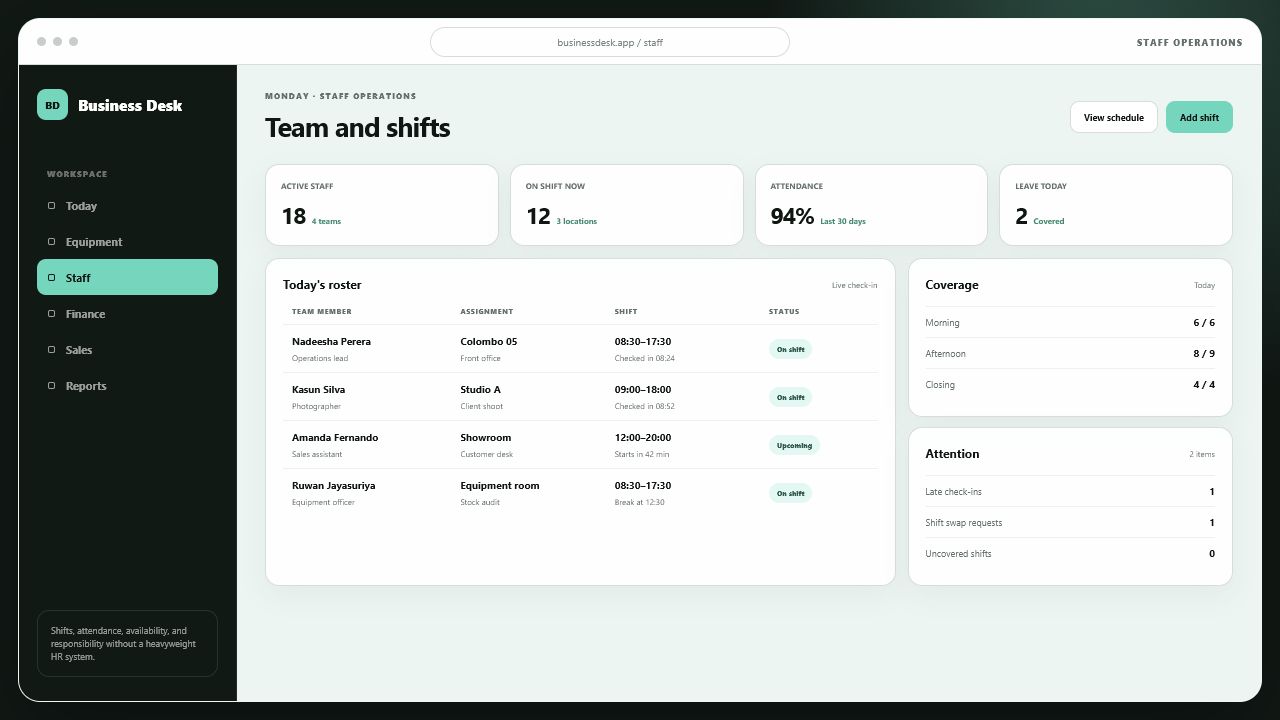
Turn the roster into a live picture of responsibility.
The staff workspace connects each team member to their assignment, location, shift, check-in state, and coverage needs. Owners see gaps early and team leads know what they are responsible for today.
Live shift and attendance status
Location and responsibility
Coverage and exception handling
04 / Sales
Understand the pace and quality of revenue while the day is still moving.
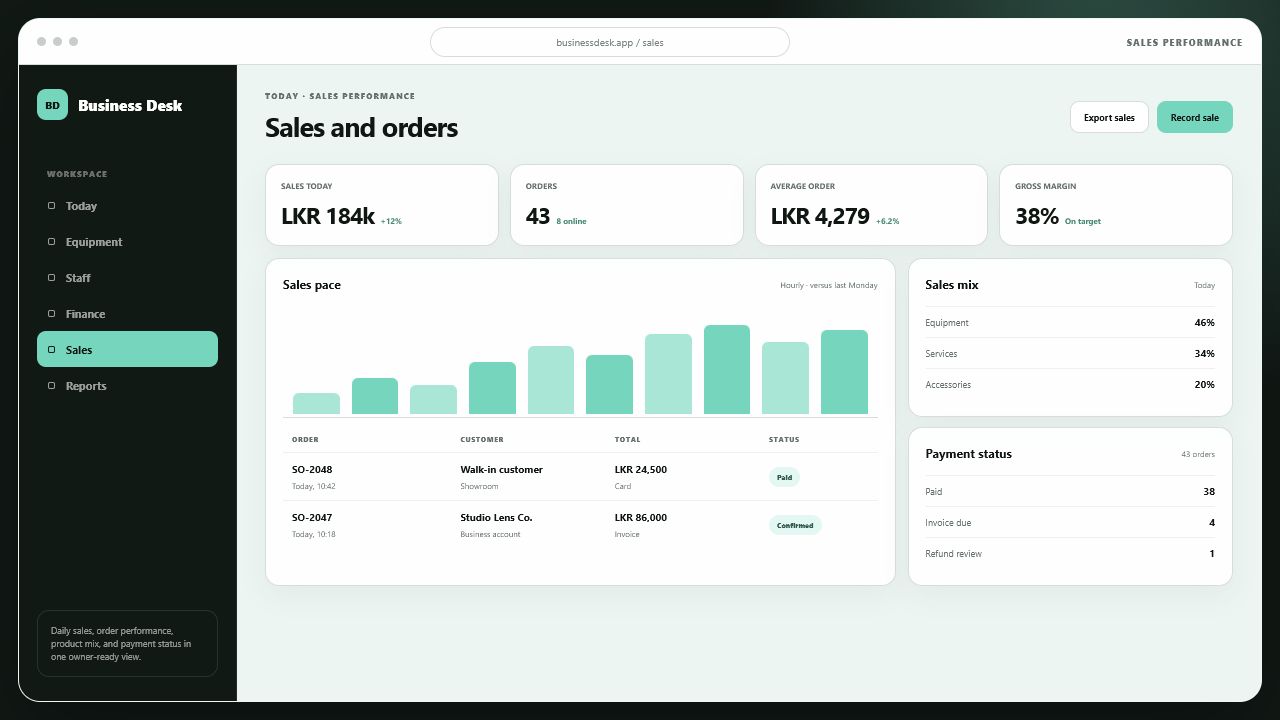
Daily revenue, orders, average order value, gross margin, sales mix, and payment status stay visible together, giving owners a clearer basis for staffing, stock, and follow-up decisions.
Hourly sales performance
Order and payment state
Product mix and margin
05 / Inventory
Protect working capital without losing sight of what the team needs next.
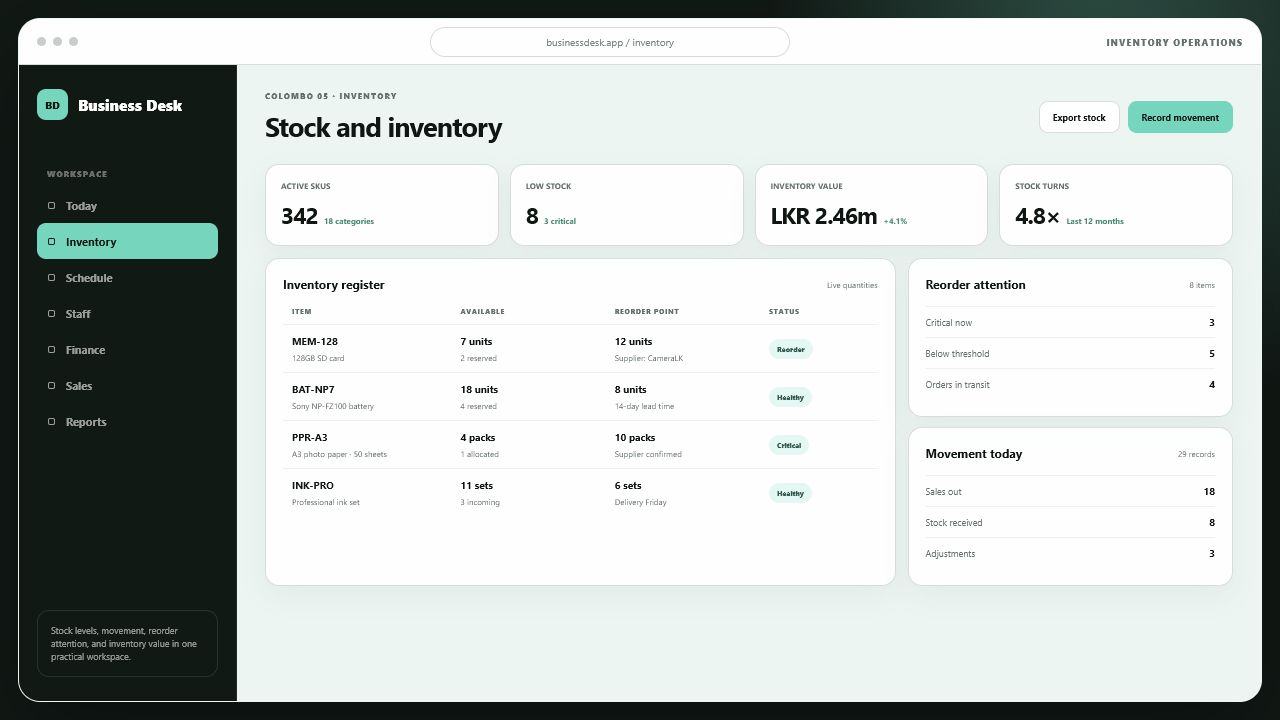
Live quantities, reservations, reorder points, supplier lead times, and daily stock movement sit in one practical register. Owners can spot shortages early without turning inventory control into a separate administrative job.
Live stock and reservations
Reorder and supplier attention
Inventory value and movement
06 / Schedule
Coordinate people, spaces, and equipment around the work that must happen today.
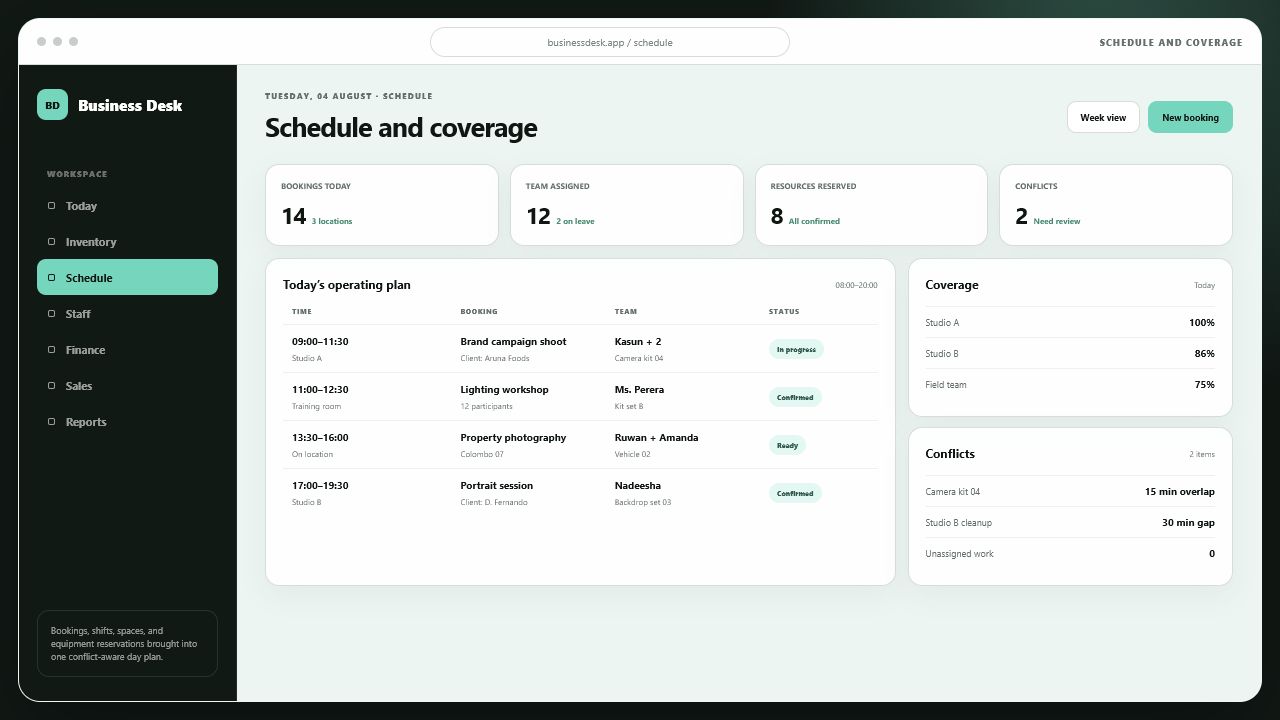
The operating schedule connects each booking to its location, assigned team, reserved resources, and readiness state. Coverage gaps and resource conflicts become visible before they disrupt the customer experience.
Booking and resource coordination
Team coverage by location
Conflict and exception visibility
07 / Daily reporting
End the day with a decision-ready operating picture, not another reporting chore.
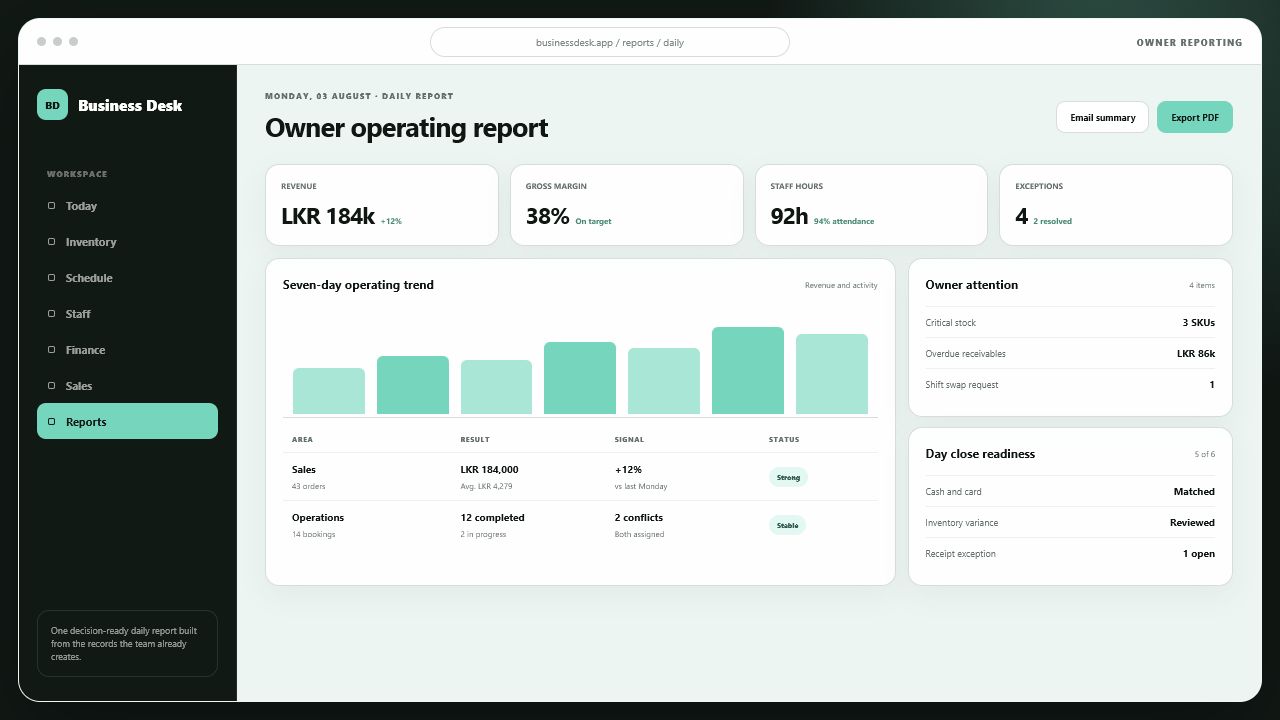
The owner report assembles revenue, margin, staff hours, bookings, exceptions, and close readiness from the records the team already creates. It makes progress and unresolved attention visible without manual spreadsheet consolidation.
Seven-day operating trend
Cross-functional owner attention
Day-close readiness
The product opportunity
Small teams need operational control without enterprise complexity.
Growing businesses often manage critical work through messaging, paper records, disconnected spreadsheets, and the owner's memory. Those tools are flexible at first, but they make delegation difficult and hide the operating picture as the team expands.
Small Business Manager explores a more accessible middle ground: structured enough to create accountability, straightforward enough for everyday use, and mobile-first so the workspace remains close to the people doing the work.
01 / Simplicity
The system must be easier than the workaround.
Every workflow has to justify the effort it asks of a busy owner or team member.
02 / Visibility
Owners need a usable daily picture.
Staff, stock, expenses, and exceptions should be visible without manual consolidation.
03 / Growth
Delegation needs clear responsibility.
As the business grows, tasks and records must become less dependent on one person.
Product direction
A practical workspace for the daily operation.
The initial product model brings the most connected small-business workflows into one mobile experience, reducing duplicate entry and keeping the owner close to what needs attention.
01
Staff and attendance
Keeps team records, availability, attendance, and day-to-day responsibilities in one accessible place.
02
Scheduling
Supports shifts, assignments, and changes with a shared view of who is expected where and when.
03
Inventory control
Tracks stock movement, current quantities, low-stock attention, and the information needed for replenishment.
04
Expenses and cash visibility
Provides a straightforward record of daily spending and financial activity without pretending to replace a complete accounting system.
05
Daily reporting
Turns operational activity into a concise owner view of completed work, exceptions, and items that require action.
06
Mobile-first administration
Prioritises quick capture and review from the device already present in the business rather than assuming desk-based operation.
Product principles
Progressive structure, not premature complexity.
Because the product is early-stage, the current focus is a coherent operating model and a disciplined scope—not inflating the roadmap with every feature an established ERP might contain.
Product approach
Core workflows should work independently while becoming more valuable together. The owner gets a usable starting point and the product can expand as operating maturity grows.
A cross-platform Flutter client and managed PostgreSQL backend provide a pragmatic base for rapid product learning, shared business rules, and future multi-tenant delivery.
FlutterDartSupabasePostgreSQLMulti-tenant direction
Give growing teams the clarity to operate beyond the founder.
The product direction is deliberately practical: capture the day, surface exceptions, and create enough structure for better delegation and decisions.